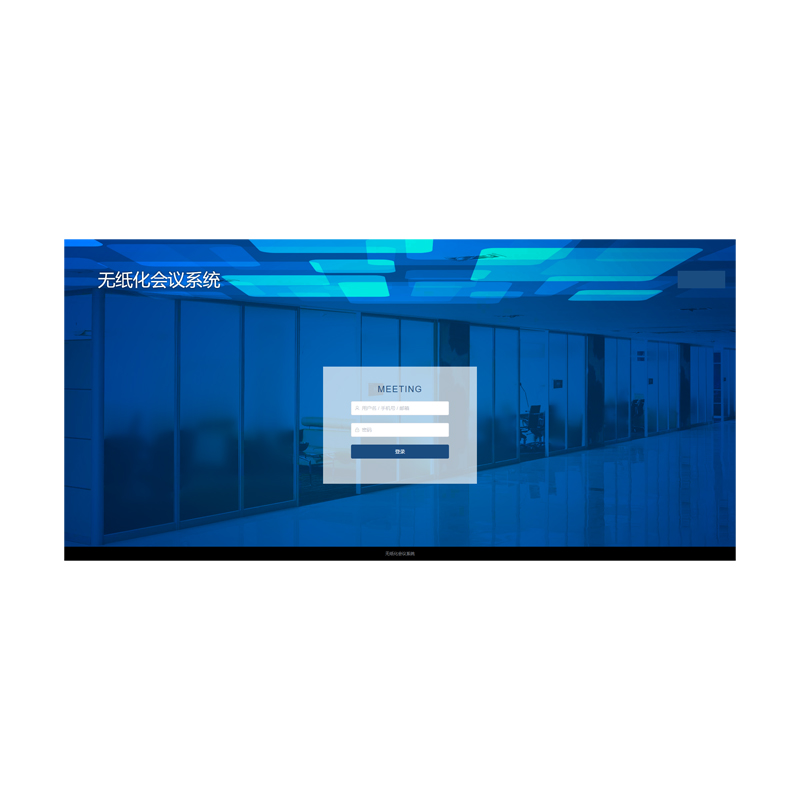
Multimedia Conference Platform Integrated Management Software FT-JALL
Categories: Stage lighting
Category Stage lighting
| Feature/Parameter | Details |
| System Design | Replaces paper-based processes with advanced technologies like modern communication, audio, video, and software for efficient and eco-friendly meetings. |
| Pre-Meeting Management | Intelligent management of pre-meeting, in-meeting, and post-meeting workflows. |
| Backend Server Software | Compatible with Windows operating system. |
| Client Terminal Software | Supports Windows, Android, HarmonyOS, KylinOS, Linux, UnionTechOS, and other common operating systems. |
| Meeting Room Coordination | Manages multiple meeting rooms and parallel meetings with a unified interface for simplified operations. |
| B/S Architecture Support | PC-end supports browser access for meeting scheduling and management. |
| Multilingual Support | Both server and terminal support switching between Chinese and English. |
| Meeting Reservation Methods | Supports PC (web browser, OA, Outlook, Exchange integration) and mobile (WeChat, WeChat Mini Program, DingTalk, Feishu, HTML5 pages). |
| OA Integration | Supports integration with OA systems, Outlook, Exchange for meeting data synchronization. |
| Notification Methods | Sends meeting invitations, changes, approvals, and cancellations via email, SMS, voice, or other channels. |
| Video Conference Integration | Automatically creates video conference links and meeting IDs during scheduling. |
| Recording Device Integration | Starts recording automatically when a meeting begins, and supports exporting meeting data. |
| Occupancy Sensor Integration | Automatically releases meeting room if no activity is detected within a set time. |
| Meeting Room Status Display | Visualizes meeting schedules with different colors for occupied and free periods. |
| Calendar Management | Displays meeting schedules by month, week, or day, including cross-day meetings. |
| Department Integration | Quickly searches company employees or imports participants, with customizable roles (e.g., Chairperson, Secretary). |
| Meeting Agenda Management | Allows creation of multiple agendas with separate materials, participants, and role permissions for each. |
| Voting and Polling | Supports multiple voting modes, customizable durations, and detailed result displays (text and charts). |
| Visualization Tools | Displays meeting room layouts, seating arrangements, and other visual elements for intuitive management. |
| Approval Workflow | Sets independent approval permissions for each meeting room and notifies participants via various platforms. |
| Recurring Meetings | Supports daily, weekly, or monthly recurring meetings, with options to save and reuse meeting templates. |
| Resource Management | Enables dynamic management of meeting room resources to improve asset utilization. |
| Interactive Components | Allows integration of components like facial recognition, clocks, weather, and QR codes for interactive displays. |
| Sign-In Methods | Offers multiple options for attendee sign-in, including QR codes, face recognition, verification codes, and fingerprint scans. |
| Meeting Services | Customizable meeting services linked to specific meeting rooms. |
| Post-Meeting Data Management | Automatically saves meeting notes, annotations, and resolutions, with options for export and backup. |
| Centralized Terminal Management | Monitors terminal connectivity, operational status, and software updates from a central management interface. |
| Multi-Screen Support | Enables multi-screen setups with different layouts (e.g., full-screen, split-screen). |
| Digital Nameplates and Welcome Pages | Customizable welcome screens and electronic nameplates for each meeting, including layout, text, and background images. |
| Audio Broadcasting | Supports audio announcements for agendas and participant names during meetings. |
| External Signal Integration | Allows preview, viewing, and synchronization of external signals during meetings. |
| Real-Time Updates | Displays live meeting progress, attendee sign-ins, and room availability in real time. |
| Third-Party Integration | Supports connections with third-party systems (e.g., Outlook, OA, DingTalk, WeChat, Feishu) for notifications and resource synchronization. |
| File Sharing | Allows sharing and downloading of pre-meeting, in-meeting, and post-meeting materials. |
| Role-Based Access Control | Configures viewing and editing permissions for materials based on participant roles and agendas. |
| Meeting Room Customization | Defines room types and uses real layouts to customize fixed assets and seating arrangements. |
| Meeting Notifications | Customizable notification frequencies (e.g., 5 minutes, 15 minutes, 1 hour, or 1 day before meetings). |
| Seating Arrangements | Automates or customizes seating based on meeting configurations or agendas. |
| Dynamic Room Signage | Displays real-time room statuses (e.g., "In Preparation," "In Meeting") using customized templates. |
| Cross-Platform Functionality | Ensures seamless operation across PC, mobile, and web platforms for scheduling, notifications, and document access. |
Your email address will notbe published, Required fields are marked